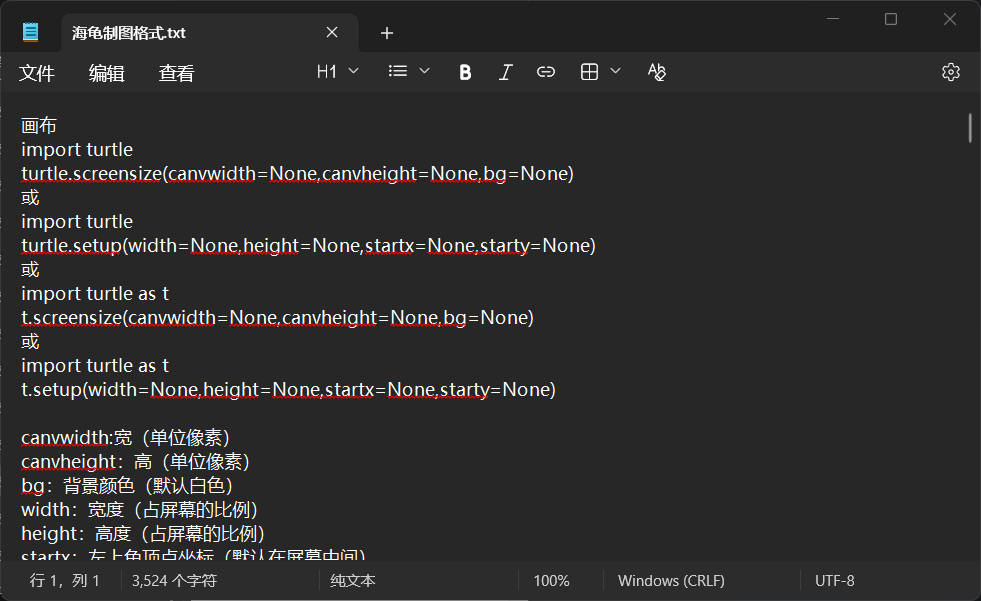
也就300来行吧。。。。格式如下👇👇👇
画布
import turtle
turtle.screensize(canvwidth=None,canvheight=None,bg=None)
或
import turtle
turtle.setup(width=None,height=None,startx=None,starty=None)
或
import turtle as t
t.screensize(canvwidth=None,canvheight=None,bg=None)
或
import turtle as t
t.setup(width=None,height=None,startx=None,starty=None)

canvwidth:宽(单位像素)
canvheight:高(单位像素)
bg:背景颜色(默认白色)
width:宽度(占屏幕的比例)
height:高度(占屏幕的比例)
startx:左上角顶点坐标(默认在屏幕中间)
starty:左上角顶点坐标(默认在屏幕中间)

画布颜色
turtle.Screen().bgcolor("color")
或
t.Screen().bgcolor("color")
或
turtle.colormode(255)
turtle.Screen().bgcolor(R,G,B)
或
t.colormode(255)
t.Screen().bgcolor(R,G,B)

bgcolor:背景颜色

让海龟前进
turtle.forward(distance)
或
t.forward(distance)

distance:海龟前进的距离

让海龟后退
turtle.backward(distance)
或
t.backward(distance)

distance:海龟后退的距离

让海龟转弯
turtle.right(degree)
turtle.left(degree)
或
t.right(degree)
t.left(degree)

right:右转
left:左转
degree:角度

三种移动代码
turtle.goto(x,y=None)
turtle.setposition(x,y=None)
turtle.setpos(x,y=None)
或
t.goto(x,y=None)
t.setposition(x,y=None)
t.setpos(x,y=None)

goto:去;到
x:x坐标
y:y坐标
setposition:置位位置; 设置位置
setpos:设置位置

让海龟平移
turtle.setx(x)
turtle.sety(y)

setx:设置x坐标为……
sety:设置y坐标为……
x:x坐标
y:y坐标

改变指向
turtle.setheading(to_angle)

to_angle:角度

移动速度
turtle.speed(speed=None)
或
t.speed(speed=None)

speed:移动速度(海龟移动速度分位10个档,即1-10。1最慢,10最快。填入的参数大于10或小于0.5,速度会被自动设为0。0的速度和10一样,为最快速度,这个速度下几乎看不到海龟的移动过程)

消除
turtle.undo()
或
t.undo()

undo:撤销

清屏
turtle.clear()
或
t.clear()

clear:清屏

回到原点
turtle.home()
或
t.home()

home:原点

调查海龟的具体位置
turtle.position()
或
t.position()

position:位置

调查海龟的x坐标
turtle.xcor()
或
t.xcor()

xcor:海龟的x坐标

调查海龟的y坐标
turtle.ycor()
或
t.ycor()

xcor:海龟的y坐标

调查海龟面朝的方向
turtle.heading()
或
t.heading()

heading:方向

提笔
turtle.penup()
或
t.penup()

penup:提笔

落笔
turtle.pendown()
或
t.pendown()

pendown:落笔

线条粗细
turtle.pensize(width=None)
或
t.pensize(width=None)

width:宽度

如何画圆
turtle.circle(r,extent=None,steps=None)
或
t.circle(r,extent=None,steps=None)

r:半径
extent:角度
steps:步数

改变画笔颜色
turtle.pencolor(*args)
或
t.pencolor(*args)
或
turtle.colormode(255)
turtle.pencolor(r,g,b)
或
t.colormode(255)
t.pencolor(r,g,b)

*args:颜色(字符串)(单词)
r:红色
g:绿色
b:蓝色

填充颜色
turtle.fillcolor(*args)
turtle.begin_fill()
……
turtle.end_fill()
或
t.fillcolor(*args)
t.begin_fill()
……
t.end_fill()
或
turtle.colormode(255)
turtle.fillcolor(r,g,b)
turtle.begin_fill()
……
turtle.end_fill()
或
t.colormode(255)
t.fillcolor(r,g,b)
t.begin_fill()
……
t.end_fill()

*args:颜色(字符串)(单词)
r:红色
g:绿色
b:蓝色
begin_fill:开始填充
end_fill:结束填充

同时设置画笔颜色与填充颜色
turtle.color("pencolor","fillcolor")
或
t.color("pencolor","fillcolor")

pencolor:画笔颜色
fillcolor:填充颜色

形状设置
turtle.shape("turtle")
或
t.shape("turtle")
或
turtle.shape("classic")
或
t.shape("classic")
或
turtle.shape("arrow")
或
t.shape("arrow")
或
turtle.shape("circle")
或
t.shape("circle")
或
turtle.shape("square")
或
t.shape("square")
或
turtle.shape("triangle")
或
t.shape("triangle")
turtle:海龟
arrow:箭头
circle:圆
classic:经典
square:正方形
triangle:三角形
shape:形状

颜色设置
turtle.colormode(255)
turtle.color(R,G,B)
或
turtle.color(color)
或
t.colormode(255)
t.color(R,G,B)
或
t.color("color")

R:红色
G:绿色
B:蓝色
color:颜色(字符串)(单词)

海龟的大小设置
turtle.turtlesize(a,b,c)
或
t.turtlesize(a,b,c)

turtlesize:乌龟大小
a:海龟的宽度(上下距离)
b:海龟的左右(左右距离)
c:海龟的轮廓宽度

重置海龟大小
turtle.resizemode("auto")
或
t.resizemode("auto")

resizemode:重置模型
auto:自动(变回原来大小)

海龟的显示
turtle.showturtle()
或
turtle.showturtle()

showturtle:海龟显示

海龟的隐藏
turtle.hideturtle()
或
t.hideturtle()

hideturtle:海龟隐藏

标题设置
turtle.title("titlestring")
或
t.title("titlestring")

titlestring:设置标题

关闭窗口
turtle.bye()
或
t.bye()

bye:再见
这是我自己整理的 借用吱一声
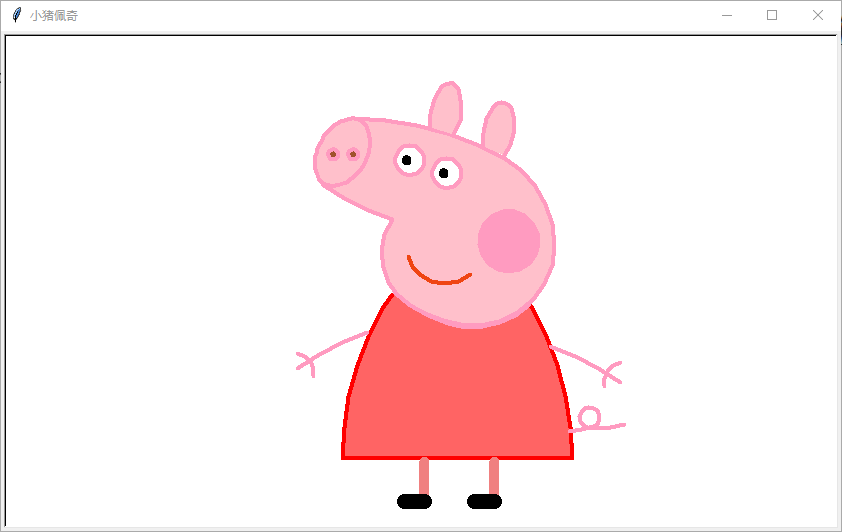
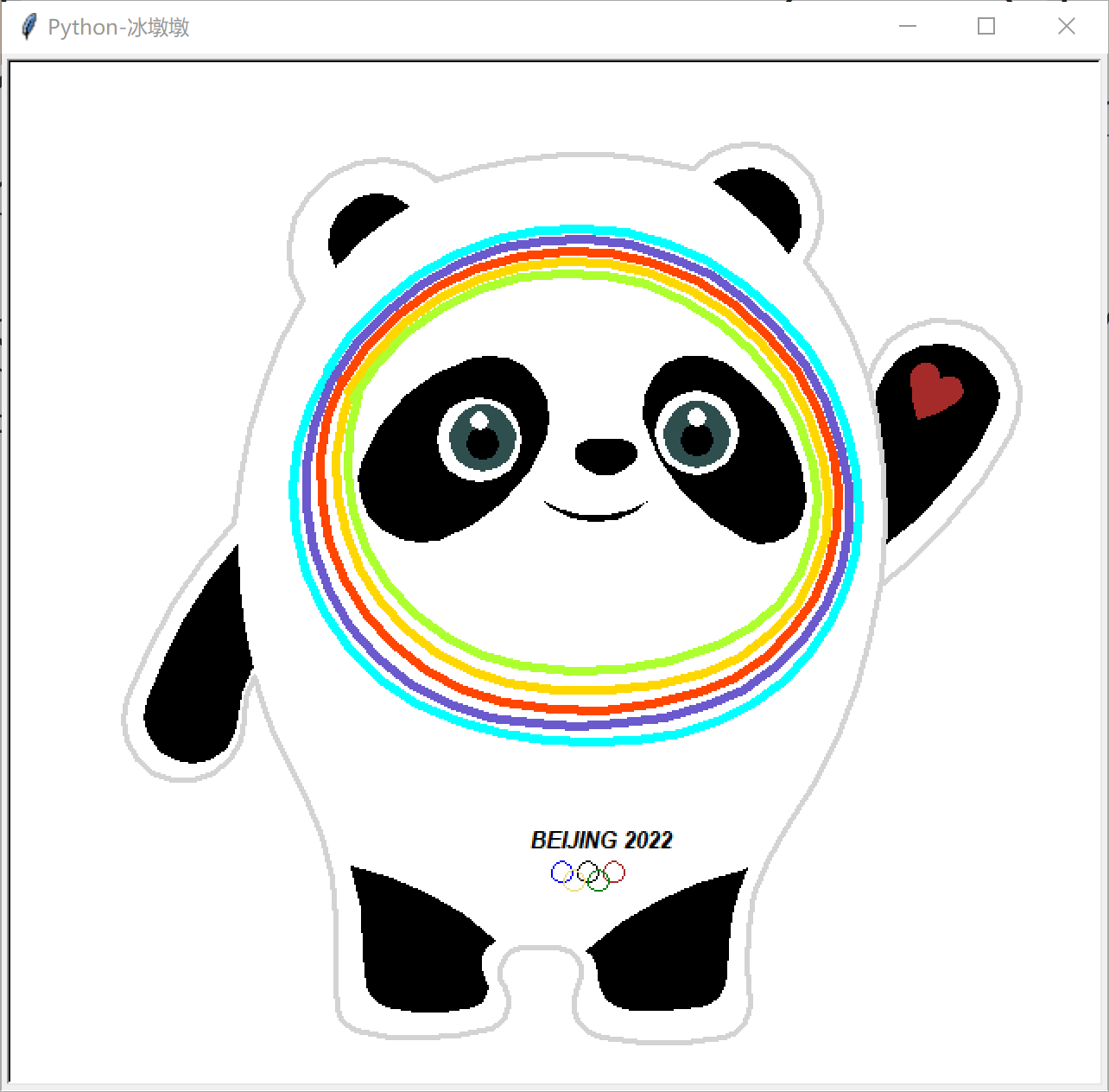
turtle事例看我链接:海龟turtle库案例(会更新) – laolibuhuifei’s blog


http://lhy.cpolar.top/?p=302
案例